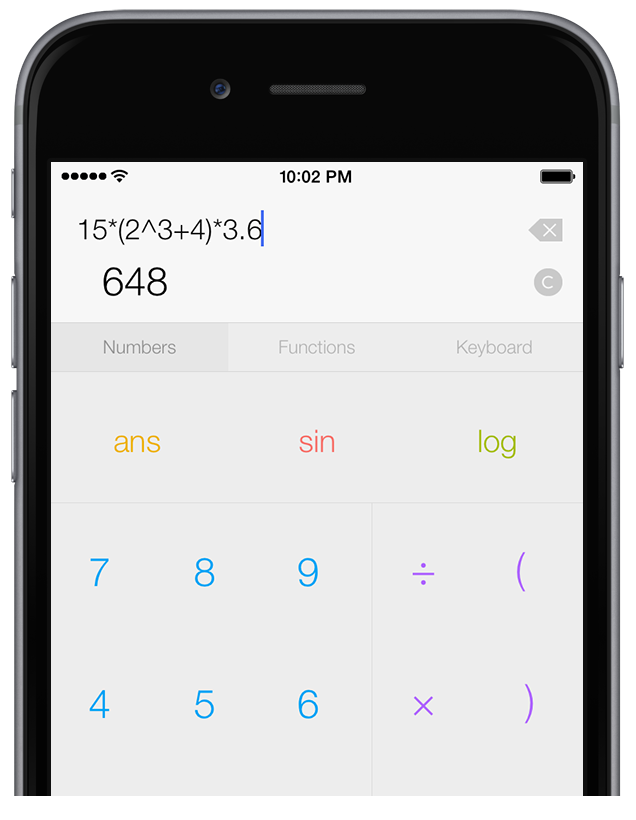
Introductory Screencast
5 Minutes Long
Purchase   
Version 1.2
Requires iOS 3.1.3+

About PEMDAS Touch

PEMDAS Touch is a simple yet powerful scientific calculator for your iPhone or iPod Touch.

In addition to having an easy-to-use interface that lets you easily calculate equations, it features a full equation history and variable list, retaining everything you've calculated until you decide to clear it!

What's New

Many new features have been added in Version 1.2!

Watch the Screencast

2 Minutes Long

Function List

They Keypad has been updated to include a tab that has a scrolling list of functions, which allows for far quicker access to functions than the last version.

View Full Release Notes

Updated Keypad Interface

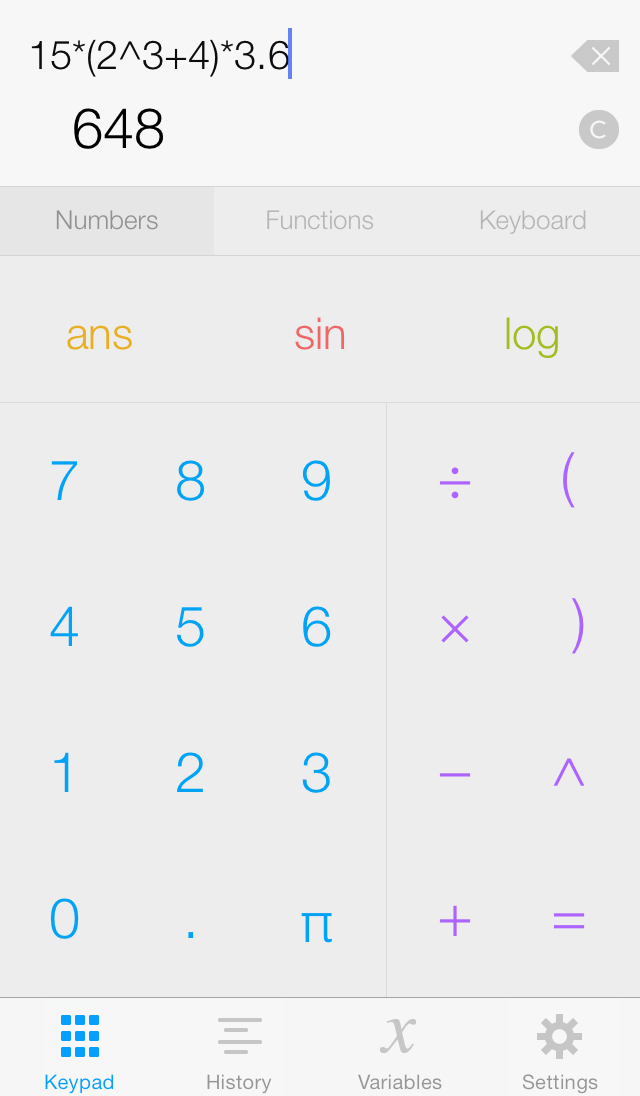
The biggest new feature is the updated keypad interface. The buttons have gotten a little bigger, and they provide a nicer looking feedback when you tap on them. Additionally, the keypad now has three customizeable buttons above the number pad, which allow you quick access to your most commonly used functions.

Retina Display Support

PEMDAS Touch now fully supports Retina displays on the iPhone 4 and latest generation iPod Touches.

Features

Variables

PEMDAS lets you assign variables by using the equals sign (you can access the iPhone/iPod Touch keyboard by tapping and holding the equation). Like the auto-cached answers, variables show up in the variable tab for easy one tap insertion into an equation.

Variable List

The answer cache makes it easy to see all your answers, and keep track of the variables you've used. The result of each calculation you do is assigned a unique variable name (ans1, ans2, ans3, etc.), and the previous answer is always stored in the 'ans' variable. To clear all the variables, tap the Clear button (which will also clear the equations).

Binary, Octal, and Hexadecimal Support

PEMDAS Touch supports Binary, Octal, and Hexadecimal numbers. To type numbers in Binary, Octal, or Hexadecimal, use the 0b, 0o, and 0x prefixes, which can be accessed quickly in the function list. Additionally, you can format results in Binary, Octal, and Hexadecimal by adjusting the number formatting option in the Settings tabs.

Equations

The most importart feature of PEMDAS Touch is that it lets you work with equations. Simply type in an equation, tap the equals button, and you have the answer! There isn't any messing around like the one-step-at-a-time calculators, where half the work is just trying how to figure out how to enter the equation.

Equation History

PEMDAS keeps track of everything you've calculated in the Equations tab of the app, even in between app launches. The Equations tab lets you see all the equations you've calculated and their associated answers, and lets you recalculate them with one tap. To clear all the equations, tap the Clear button.

Number Formatting

PEMDAS has several different kinds of number formatting, including float, scientific, engineering, and percent. It also lets you specify the number of decimals or significant figures to display, and lets you add thousands separators.

Screenshots


The Keypad tab.


The Keypad tab, showing the functions list.


The History tab.


The Variables tab.


The Settings tab.

Screencasts

You can also find information about how to use PEMDAS Touch in the Documentation section.

Version 1.2: Change Overview
June 14, 2011, 2 minutes long
Version 1.1: Change Overview
July 14, 2009, 2 minutes long
Version 1.0: Introduction
February 14, 2009, 4 minutes long

Documentation

To learn all about PEMDAS Touch, visit the Documentation section! The direct links to the sections are below:

1. PEMDAS Touch Overview

2. Equations

3. Variables

4. Settings

5. Release Notes