1. PEMDAS Widget Overview
PEMDAS Widget is a simple but powerful calculator for scientists, engineers, students, and other professions to use when working on problems with equations.
PEMDAS stands for Parenthesis, Exponents, Multiplication, Division, Addition, and Subtraction, an acronym sometimes taught to children to help them remember the order of operations.
If you have questions or feedback, please don't hesitate to contact us!
Requirements
PEMDAS Widget requires OS X 10.9.
Interface Overview
An overview of the different parts of the default PEMDAS interface is shown below. The two elements that you'll probably use the most are the Equation Entry Field and Result Field.
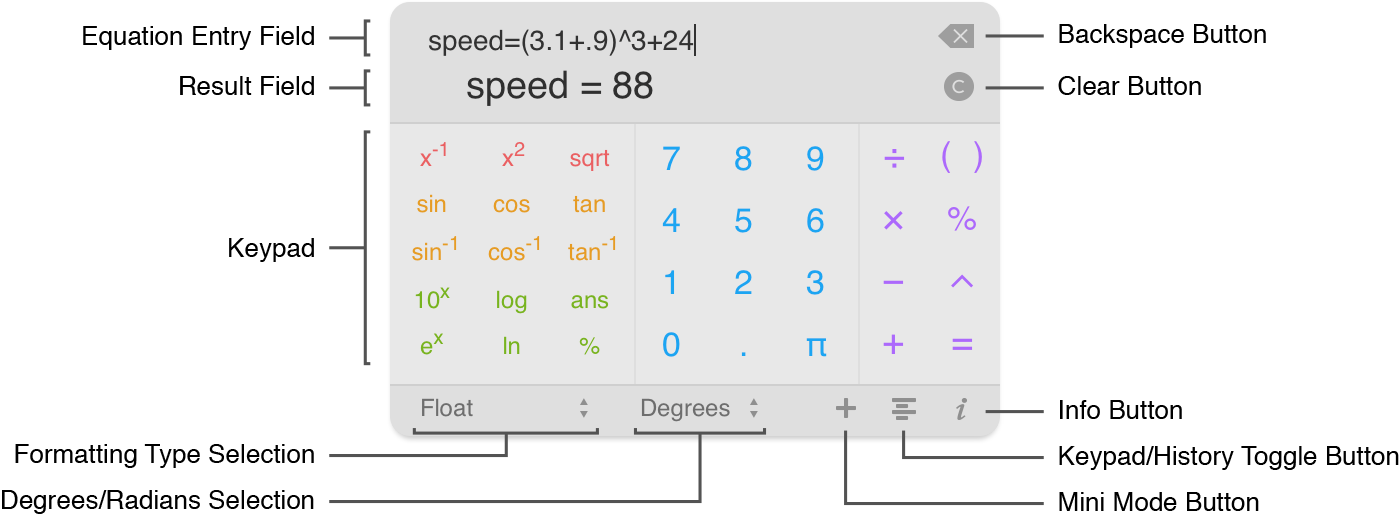
PEMDAS features several different views. The default view is the Keypad view, which has a numeric keypad. A second view, the History view, contains a list of all the previously calculated equations as well as a list of active variables in the session.
In both Keypad and History views, the bottom bar of PEMDAS features quick access to the Formatting Type Selection Button, and the Degrees/Radians Selection Button.
You can get to the History view by clicking the Keypad/History Toggle Button. An overview of the History view is shown below:
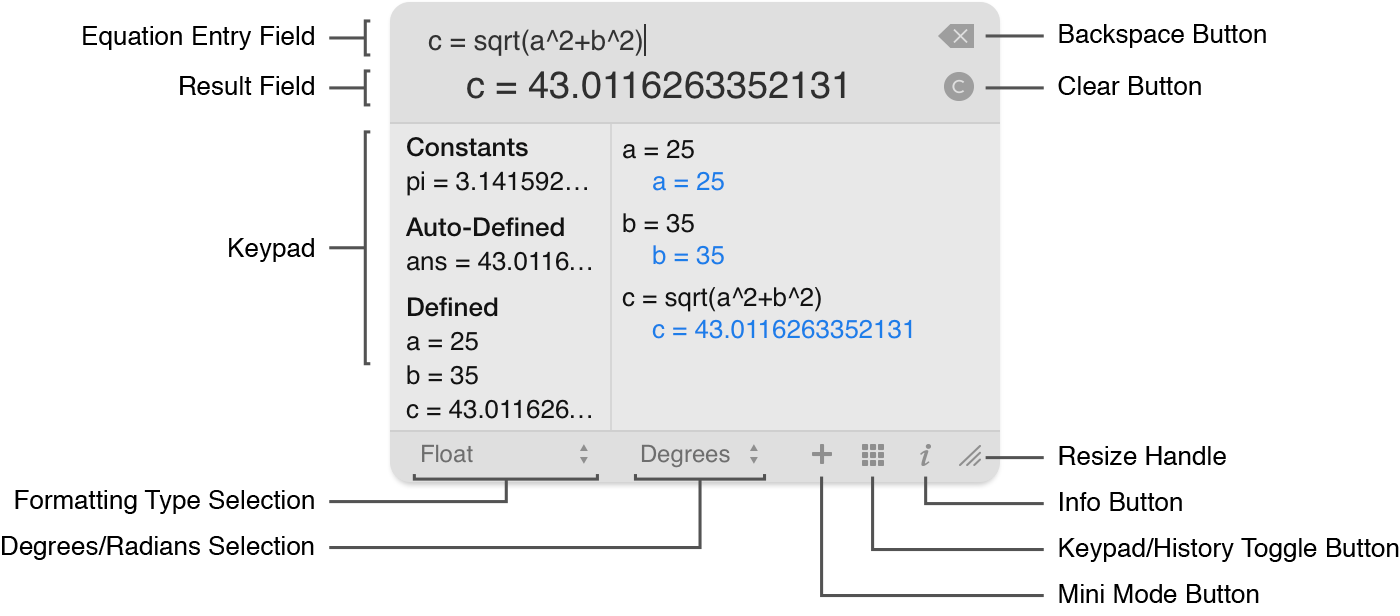
The bottom bar of PEMDAS has the Mini Mode Button, which is used to toggle the widget in and out of mini mode. The bottom bar of PEMDAS also has an Info Button, which is used to get to the preferences on the back of the widget. In the History View only, there is a resize handle, which can be used to resize the widget.
| Index | Next: Entering Equations |